AI Album Licensing 2026: Costs, Rights & Compliance Checklist
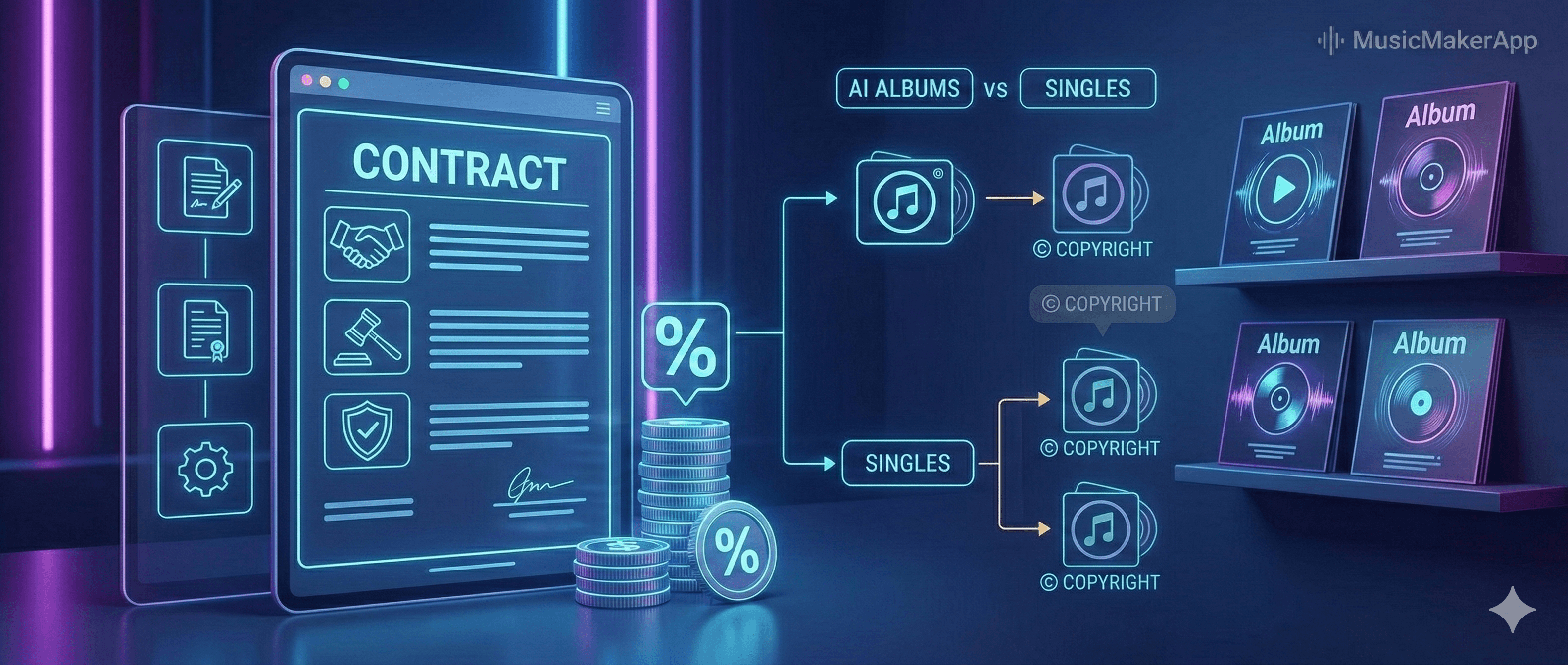
AI-generated albums in 2026: what changed
If you are releasing an album with AI-generated or AI-assisted tracks in 2026, you are no longer in an experimental grey zone. Labels, platforms, and rights organizations now expect clear licensing terms, traceable metadata, and proof that you understand what you are allowed to do with each track.
This guide focuses on three things:
-
What you actually own when you use AI music tools.
-
Which licensing costs you should budget for when releasing albums.
-
How to use the MusicMakerApp AI Song Generator to keep your workflow compliant and auditable over time.
You will not become a lawyer by reading this, but you should finish with a simple checklist that lets you say, “For this album, I know what I can do, where I can release, and how much it is likely to cost.”
1. Copyright basics for AI music in albums
The core question behind AI music in 2026 is simple: who controls the rights? The detailed answer depends on three layers.
-
Tool terms and model license
-
Every AI music platform has its own terms of service and license.
-
Some tools give you broad commercial rights for generated tracks; others restrict you to personal use or require extra fees for commercial albums or sync placements.
-
Before you build an album around one tool, read its latest terms and, for MusicMakerApp specifically, check how commercial usage is handled in the current plans and rights description on the pricing and commercial plans page.
-
-
Your prompts, edits, and workflow
-
In many territories, the creative decisions you make (prompts, structure, edits, mixing choices) can strengthen your claim to authorship of the resulting track.
-
Keep a basic log of how each AI track was generated and edited: which model, which version, key prompts, and any human inputs such as live instruments or vocals added on top.
-
If you are using services like the Text to Music AI feature in MusicMakerApp to turn text prompts into instrumentals, note which version you used for each track so you can show how the final sound was created.
-
-
Training data and provenance risks
-
Some AI models are trained on licensed catalogs; others rely on mixed or partially unknown sources.
-
When you use tracks from models with opaque training data, you may face additional risk if a rights holder later challenges how their material was used.
-
To reduce risk, favor tools that publish clear data provenance and rights assignment; for MusicMakerApp, you can review the details in the AI music copyright and ownership explainer.
-
For commercial album releases, assume that you will need to show:
-
Which tool and model generated each track.
-
Which license applies to that track.
-
Whether any third-party samples, stems, or vocals were used and how they are licensed.
2. Licensing cost components in 2026
Even when you generate the music with AI, copyright and licensing costs do not disappear. They simply move to different places in your budget. The table below gives you a quick view of typical 2026 cost components (ranges are indicative and vary by tool and region):
In a real album project, you will mostly feel these costs in a few places:
-
Upfront AI tool or subscription fees
-
Subscription tiers unlock different usage rights—personal, semi-commercial, or full commercial.
-
If you plan to release an album, pick the lowest tier that clearly includes “commercial release” or “monetized distribution” in its rights description. You can see which tiers include full commercial rights and unlimited downloads on the pricing page.
-
For an AI-driven workflow built around MusicMakerApp, start with a plan that matches your expected release volume and then scale up if you need more generations or advanced features.
-
-
Mechanical royalties and composition rights
-
Even if the music was generated, many territories still treat the underlying composition as subject to mechanical rights when you distribute it.
-
Distribution platforms may handle some of this via built-in arrangements with collecting societies, but you remain responsible for ensuring that your use matches the tool’s license and your local law.
-
When in doubt, treat AI-generated tracks as you would any other original composition: register them properly, log the contributors, and track where they are used.
-
-
Sync and advertising licenses
-
When your album tracks are used in videos, ads, trailers, or branded content, the sync layer almost always applies.
-
For AI-generated music, some tools offer specific “commercial / advertising” add-ons or enterprise plans; check whether your usage falls into these categories and budget accordingly.
-
If you are using tracks made with MusicMakerApp in ads or social campaigns, confirm that your plan covers sync and client work by reviewing the commercial usage notes linked from the pricing section and, where needed, the commercial license guide.
-
-
Public performance and live use
-
PROs (ASCAP, BMI, SESAC in the US; PRS in the UK; SACEM in France, and others elsewhere) still govern live and broadcast performance royalties.
-
If your AI-generated songs are performed or broadcast, they should be registered and tracked like any other compositions to ensure correct attribution and royalty flows.
-
-
Administration, metadata, and legal advice
-
The more complex your catalog and licensing sources, the more time you spend on metadata, split sheets, and contract reviews.
-
Even a small indie label may allocate a few thousand dollars per year to legal consultations and compliance tools if they release a steady stream of AI-assisted material.
-
You can reduce admin friction by building a consistent documentation pattern that you reuse across releases, and by aligning it with how you already manage projects in MusicMakerApp.
-
3. Regional and policy differences you should not ignore
Licensing costs and risk profiles change depending on where your album is released and how it is monetized.
United States
-
Public performance rights go through PROs such as ASCAP, BMI, and SESAC.
-
Mechanical licenses are needed for physical and digital distribution of compositions; many distributors handle this, but you should verify the coverage for AI-generated works.
-
Sync rights remain a separate negotiation for film, TV, and advertising. Even if you own or license the AI-generated track, you still need the right to marry it to picture.
United Kingdom and European Union
-
Collective management organizations (CMOs) play a central role and cross-border licensing inside the EU is common.
-
Data protection laws apply when you process user or artist data alongside tracks, which matters if your workflow logs prompts, performer names, or other personal data.
-
Ongoing policy debates around AI and copyright have pushed platforms toward better attribution, dataset documentation, and opt-out options for rights holders.
Other regions
-
Tariff structures, local CMOs, and enforcement practices differ widely across Asia, Latin America, and Africa.
-
Regional distributors may introduce their own AI content rules, including higher scrutiny of “voice clone” or “style imitation” tracks.
Advertising and branded content
-
Ads, sponsorships, and branded campaigns carry higher reputational and legal risk if rights are unclear.
-
Many agencies now ask for explicit AI content disclosures and proof that the track is cleared for the exact campaign scope and territories.
For album planning, keep a simple map:
-
Where will the album be available?
-
Will tracks be reused in videos, shorts, or ads?
-
Which local societies and rules apply to those uses?
4. A practical compliance workflow in MusicMakerApp
You can treat MusicMakerApp as the place where your licensing story lives: prompts, models, exports, and notes in one auditable workflow. The examples below assume you are working inside the MusicMakerApp ecosystem.
Step 1: Define license requirements per album
For each project:
-
Decide which territories you want to cover (US-only, US+EU, worldwide).
-
Decide which media types matter (audio-only vs. audio + video sync).
-
Decide the expected lifetime (short campaign vs. evergreen catalog).
Capture these once in your project notes or in a dedicated licensing section, so you can test each track against the same requirements.
Step 2: Attach licensing metadata to every AI track
For each AI-generated asset, capture:
-
Tool and model name, including version.
-
A short note of the key prompts and human inputs.
-
The license or plan that applies to this output (for example: “Plus plan – commercial, global, album use allowed”).
If you are generating instrumentals or background pieces using the Text to Music AI feature, log that alongside other track details so you know exactly which service and model version was involved.
Step 3: Use templates for business and legal terms
Create or adapt a simple internal template for each track and album:
-
Are the rights exclusive or non-exclusive?
-
Are there any restrictions (no political ads, no adult content, territory limits)?
-
Are sync rights included or separate?
For more detailed guidance on structuring “who owns what” in a client-friendly way, see the commercial license guide and adapt its principles to your own contracts and internal checklists.
Step 4: Keep an auditable generation and test log
For every track that will be released on an album:
-
Save the list of models and versions used.
-
Keep sample prompts, iteration counts, and a short description of how the final version was chosen.
-
Note any internal tests you ran (for example, similarity checks against known works, or passes through detection tools where relevant).
You can maintain this as a hidden “generation log” attached to the project, so that anyone who touches the album later can understand “how this track came to be” without exposing technical details in public credits.
Step 5: Align regional notes with distribution plans
When you export final masters for distribution:
-
Attach basic licensing notes to each track in your internal documentation: tool, license type, intended territories, and any special restrictions.
-
If you work with distributors or labels, include a one-page “album licensing summary” that explains how AI was used and which rights have been cleared.
If some tracks were created using specific tools (for example, Text to Music AI), note that explicitly so distributors and partners understand the technical and legal origin of each piece.
Step 6: Review and update as policies change
AI music licensing in 2026 is still moving. Terms, platform rules, and case law can shift within months. Set a reminder—quarterly or per release cycle—to check whether your key AI tools have updated their terms, and update your project notes accordingly. For MusicMakerApp-specific changes, the high-level rules will typically be reflected in the pricing and rights explanations and in the AI music copyright and ownership overview.
5. Case notes: how this works in practice
Indie album scenario
An independent producer plans a 10-track album where:
-
6 tracks are generated with AI tools and then edited and mixed in a DAW.
-
4 tracks are mostly human performances with light AI enhancement.
They:
-
Select a paid MusicMakerApp plan that explicitly allows commercial releases.
-
Log the model, prompts, and license tier for each AI-generated track in their internal project documentation.
-
Export track sheets that include basic licensing notes and share them with their distributor.
Result: the album can be pitched to playlists, used in videos, and repackaged in future compilations with a clear paper trail that never needs to be exposed to listeners but is always available if questions arise.
Advertising and social campaigns
A small agency wants to reuse two album tracks in a set of regional ads:
-
They check the original AI tool terms and confirm that advertising and sync use are allowed under their plan; if not, they purchase an upgrade or a separate sync license.
-
They add campaign-specific notes—territory, duration, platforms—to the project’s internal licensing checklist.
-
When exporting final audio, they attach these notes for the client’s legal and marketing teams, while the public-facing credits remain simple.
6. FAQ: licensing, costs, and policy
Q: Who owns AI-generated music rights when I release an album? A: Ownership depends on the AI tool’s terms, your local law, and how much human input went into the composition and production. In practice, you should document the tool terms, your prompts and edits, and any third-party sources, then treat the resulting track as part of your catalog with clearly defined rights and restrictions.
Q: Do AI-generated tracks incur extra copyright costs? A: The costs are usually not “AI surcharges” but standard music costs in new places: tool subscriptions, potential mechanical royalties, sync fees for video, and admin for metadata and legal review. Budget for these the same way you would for non-AI music, adjusted for your release scale.
Q: How do regional differences affect licensing costs? A: In the US, the emphasis is on PROs, mechanical licenses, and case-by-case sync deals. In the UK/EU, CMOs, data rules, and emerging AI policies shape how attribution and data are handled. Other regions may have lower licensing costs but more uncertainty around enforcement or AI-specific rules.
Q: Can using AI-generated tracks actually reduce my total costs? A: Yes, if you replace expensive one-off custom compositions or high-priced catalog licenses with AI-generated tracks under clear commercial terms. The trade-off is that you must invest more in documentation and risk management upfront to avoid costly disputes later.
Q: How should I handle advertising and monetization rights? A: Treat advertising as a separate use case. Confirm that your AI tool license allows sync and commercial use; set clear boundaries in your contracts; and keep track-level notes so that no one accidentally uses a “personal only” track in a paid campaign.
Q: How can I keep licensing costs under control without sacrificing quality? A: Focus on three levers:
-
Use the lowest tool tier that clearly covers your actual use.
-
Reuse non-exclusive licenses across multiple projects where allowed.
-
Keep your metadata and logs clean so you do not pay for duplicate or unnecessary licenses.